

VIKYE
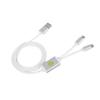
Open Port 9008 Mode Deep Flash Cable for Phones with BL Locks, Solve Problems with CPU, Advanced 9008 Mode, Unlocking and More
47,15 €
78,58 €
-
 Order within 10 hours to get between June 16 - June 22
 -
 Tracked Shipping on All Orders
-
 14-Day Returns
- Secure Payments
-
 24/7 Customer Support
Description
- [REPAIR ALL KINDS OF PROBLEMS] - The Deep Flash Cable supports phones with BL locks and CPU processors. It bypasses the BL lock to solve various issues such as swiping, unlocking, and account lock.
- [ADVANCED 9008 MODE] - With the engineering line, you can easily enter the 9008 mode to repair system software failures. If the phone cannot enter REC mode, this cable is recommended to change the font library.
- [EASY TO USE] - Two simple methods to enter deep brush mode: turning off the phone and holding down the engineering line switch or entering fastboot mode and pressing the flash button. No technical expertise required!
- [KEEP DATA UNLOCKED] - The phone needs to enter REC mode to unlock the data. Not only does the Deep Flash Cable help in unlocking, but it also enables you to flash the phone again with the desired firmware.
- [HIGH-QUALITY MATERIAL] - Made of strong and durable TPE material, this brush line ensures long-lasting use. Its 0.9m length provides flexibility while operating your phone.
Specifications:
Type: Brush Line for
Model: W230
Material: TPE
Length: Approx. 0.9m / 1yd
Color: White
Weight: Approx. 37g
Compatible Model: All for phones with BL lock and for CPU, for 4S/4C/4i/5, etc
Package list:
1 * Brush Line
Using Method:
1. The first method:
Turned off the phone, insert the line, at the same time hold down the engineering line switch the power button of the mobile phones and lasts for 5 seconds, the computer will make a sound like ding dong, that means the device manager has found the Port 9008. The appearance of 9008 port indicates that you have successfully entered the deep brush mode, and then you can solve all kinds of problems by using the brush tool once for all!
2. The second method:
Turned off the phone, press the volume reduction plus and the power button to enter fastboot mode at the same time, and then press the power button to turn it off. When the mobile phone screen turns black, long press the flash button for five seconds, then loosen your hand, by this time, the device manager inside can recognize to port 9008. The appearance of 9008 port says that it has successfully enter into the depth of the flash mode, and then use the refresh for the flash tool flash point, choose wanted material, then flash again. To solve all kinds of problems one time ! The phone is in black all the time, which is a normal phenomenon, don't worry.
Shipping and Returns
- We offer tracked shipping on all orders. Tracking information will be shared as soon as the order is dispatched.
- Please check the delivery estimate before adding a product to the cart. This is displayed for every product on the website.
- Available shipping methods and charges will be displayed at the time of checkout, depending on your exact location.
- All customers are entitled to a return window of 14 days, starting from the date of delivery of the product(s).
- Customers are advised to read our return policy for details of the return process, eligibility, refunds as well as cancellations or exchanges.
- In case of any issues or concerns about Shipping or Returns, please contact us and we will be happy to help.
Vikye.
Open Port 9008 Mode Deep Flash Cable for Phones with BL L...
47,15 €
78,58 €