

JMT
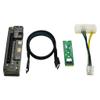
JMT M.2 M Key to OCulink-Compatible GPU Docking Station PCIe 4.0 X4 64GB/s for Mini PC Notebook Laptop to External Video Graphic Card (with M.2 Adapter)
171,07 €
285,12 €
-
 Order within 8 hours and 36 minutes to get between June 16 - June 22
 -
 Tracked Shipping on All Orders
-
 14-Day Returns
- Secure Payments
-
 24/7 Customer Support
Description
- OCulink-compatible Data Line Interface: Use an OCulink-compatible data cable to connect to a computer with OCulink-compatible interface. Connect a computer with M.2 M key using the OCulink-compatible to M.2 adapter board.
- PCI-E Interface: PCI-E 4.0 x16 interface. ( actual running speed Max PCI-E4.0 X4). 6P Power Supply Output Port: When using DC power supply , the power output of this interface.
- 8P Power Supply Output Port: Power adapter for Dell minicomputer( maximum power is 220W). Use desktop power supply with patch cord ( unlimited power).
- DC Power Input Port: Use a 12V power adapter ( maximum power is 150W), Power interface 2.5 * 5.5.
- High Speed: Support PCIe 4.0 X4 64GB/s max. Data Line length: About 50cm. Supported Power Supplier:?DC/FLEX/SFX/ATX. Power: DC/8P [M.2?Adapter Card(with OCulink-compatible Port?) Optional].
JMT M.2 M Key to OCulink-compatible GPU Docking Station PCIe 4.0 X4 64GB/s for Mini PC Notebook Laptop to External Video Graphic Card
M.2 Adapter Card(with OCulink-compatible Port ) Optional
Produduct Detail:
OCulink-compatible version Board interface:
1.6P power supply output port
When using DC power supply , the power output of this interface
2.8P power supply input port
1.Power adapter for Dell minicomputer( maximum power is 220W)
2.Use desktop power supply with patch cord ( unlimited power).
3.DC power input port
Use a 12V power adapter ( maximum power is 150W)
Note : power interface 2.5 * 5.5.
4.OCulink-compatible data line interface
1.Use an OCulink-compatible data cable to connect to a computer with OCulink-compatible interface.
2. Connect a computer with M.2 M key using the OCulink-compatible to M.2 adapter board.
5.PCI-E interface
PCI-E 4.0 x16 interface. ( actual running speed Max PCI-E4.0 X4)
M.2 M Key Docking Station parameter
Product Size: 140*38*26mm
Speed: PCIe 4.0 X4 64GB/s max.
Data Line length: About 50cm.
Supported Power Supplier: DC/FLEX/SFX/ATX
Power: DC/8P
Installation Mode: Disassembling/OCulink-compatible interface does not need to be disassembled.
Shipping and Returns
- We offer tracked shipping on all orders. Tracking information will be shared as soon as the order is dispatched.
- Please check the delivery estimate before adding a product to the cart. This is displayed for every product on the website.
- Available shipping methods and charges will be displayed at the time of checkout, depending on your exact location.
- All customers are entitled to a return window of 14 days, starting from the date of delivery of the product(s).
- Customers are advised to read our return policy for details of the return process, eligibility, refunds as well as cancellations or exchanges.
- In case of any issues or concerns about Shipping or Returns, please contact us and we will be happy to help.
JMT.
JMT M.2 M Key to OCulink-Compatible GPU Docking Station P...
171,07 €
285,12 €