

JKBMS
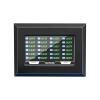
JKBMS Accessory 4.3 Inch LCD Touch Screen Monitor with Switch for JK BMS LiFePO4 Li-ion Battery Protection Board
128,32 €
213,87 €
-
 Order within 12 hours and 6 minutes to get between June 16 - June 22
 -
 Tracked Shipping on All Orders
-
 14-Day Returns
- Secure Payments
-
 24/7 Customer Support
Description
- Active Switch Monitoring: Real-time control with an active switch monitor enhances safety and efficiency, letting you manage and switch your battery system effortlessly for optimal performance
- High-Resolution Display: The 65K true color LCD screen provides crisp, detailed images of battery status and voltage levels, making it easy to monitor and maintain your battery systems performance
- Easy Installation & Compatibility: Designed for seamless integration with JK BMS systems, this display comes with all necessary hardware and instructions, ensuring a quick and simple setup
- Robust Construction: Built to endure the rigors of battery management environments, this durable display offers reliable performance across various conditions, ensuring long-term use and dependability
- After-Sales Service: Search for "JK BMS" on Android & iOS for support. Enjoy 1-year product support and 24/7 professional service to address any questions or concerns, with prompt assistance available anytime
Please note: This screen is not suitable for JK Inverter BMS V19 version
Specifications:
Display Category:TFT
Screen size: 4.3 inch
Display content: Battery pack voltage, Current, SOC, Individual cell voltage, Temperature, etc.
Device size: 140*98*28.8 mm
Screen size: 95*53.9 mm / Resolution: 480*272
Cable length:
Protection board end, total length 0.5 meters
Display screen end, total length 2.5 meters
Power supply: external 12V power adapter
Display Color:65K True Color
Backlight type/brightness: LED/300nit/m2
Viewing Angle:L/R/U/D 70/70/50/70
Operating temperature:-20~+70
Storage temperature:-30~+85
Power supply voltage:Min 10V Max 24V
SD Card Interface:SD/SDHC
Liquid crystal screen operation instructions
BMS off state, a single press on the left side of the LCD screen touch button, BMS power-on.
BMS power on state, the display if 10 seconds does not detect the BMS current output will turn off the LCD backlight to reduce power consumption.
BMS power on state, if the display does not show the content, single press the left side of the LCD screen touch button, the LCD screen to turn on the backlight.
If the monitor is displaying the content under the BMS power-on state, single press the left touch button of LCD screen, LCD screen will turn off the backlight.
When the BMS is on, long press the left touch button of the LCD for 2 seconds, the BMS will turn off.
NOTE:
LCD interface(At present, all JK BMS are configured with LCD interface by default)
(Except of JKBD4A17S4P)
Shipping and Returns
- We offer tracked shipping on all orders. Tracking information will be shared as soon as the order is dispatched.
- Please check the delivery estimate before adding a product to the cart. This is displayed for every product on the website.
- Available shipping methods and charges will be displayed at the time of checkout, depending on your exact location.
- All customers are entitled to a return window of 14 days, starting from the date of delivery of the product(s).
- Customers are advised to read our return policy for details of the return process, eligibility, refunds as well as cancellations or exchanges.
- In case of any issues or concerns about Shipping or Returns, please contact us and we will be happy to help.
JKBMS.
JKBMS Accessory 4.3 Inch LCD Touch Screen Monitor with Sw...
128,32 €
213,87 €