

N\A
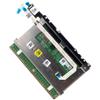
Deal4GO RGB Touchpad Sensor Board RGB Trackpad F3KGM YW4F7 G3HYC w/ N6RVM Cable Replacement for Dell Alienware X17 R1 X17 R2 2022
115,46 €
192,43 €
-
 Order within 10 hours and 3 minutes to get between June 16 - June 22
 -
 Tracked Shipping on All Orders
-
 14-Day Returns
- Secure Payments
-
 24/7 Customer Support
Description
- Compatible with Dell Alienware X17 R1, X17 R2 2022 series ONLY. (NOT FIT for Alienware X15 R1 R2 and other series)
- D P/N: F3KGM, 0F3KGM, CN-0F3KGM (TouchPad Kit); RY7JP, 0RY7JP, CN-0RY7JP(Bracket); G3HYC, 0G3HYC, CN-0G3HYC(TouchPad).
- RGB board D P/N: YW4F7, 0YW4F7, CN-0YW4F7; Ribbon Flex Cable D P/N: GDS70 NBX0002S300, N6RVM, 0N6RVM, CN-0N6RVM;
- If you are replacing a component, remove the existing component before performing the installation process.
- Each Pack come with: 1x RGB Touchpad Mouse Board w/ Flex Cable (Black).
Genuine RGB Touchpad for A1ienware X17 R1, X17 R2 (2022) series palmrest assembly, this is the RGB touchpad sensor circuit board with cable only.
Manufacturer Part Number(s):
F3KGM, 0F3KGM, CN-0F3KGM (TouchPad Kit)
RY7JP, 0RY7JP, CN-0RY7JP (Bracket)
G3HYC, 0G3HYC, CN-0G3HYC (TouchPad)
RGB board D P/N: YW4F7, 0YW4F7, CN-0YW4F7
Ribbon Flex Cable D P/N: GDS70 NBX0002S300, N6RVM, 0N6RVM, CN-0N6RVM
Condition: Original and new condition without original box shipping
Installing the Touchpad:
1. At an angle slide the touchpad assembly into the slot on the palm-rest and keyboard assembly.
2. Turn the computer over and open the display to ensure that the touchpad is equally aligned on all sides.
3. Close the display and place the computer in the position shown.
4. Replace the four screws (M1.6x2) that secure the touchpad assembly to the palm-rest and keyboard assembly.
5. Connect the touchpad-light cable to the touchpad assembly and close the latch.
6. Place the touchpad cable on the touchpad, connect the cable to the keyboard-controller board and touchpad and close the latches.
7. Place the keyboard-controller board on the palm-rest and keyboard assembly, connect the cable to the keyboard-controller board and system board and close the latches.
Reference list of compatible with Dell Laptop Models:
- A1ienware X17 R1
- A1ienware X17 R2
What's in the Box
1x RGB Touchpad Sensor Board w/ Flex Cable (Black)
Shipping and Returns
- We offer tracked shipping on all orders. Tracking information will be shared as soon as the order is dispatched.
- Please check the delivery estimate before adding a product to the cart. This is displayed for every product on the website.
- Available shipping methods and charges will be displayed at the time of checkout, depending on your exact location.
- All customers are entitled to a return window of 14 days, starting from the date of delivery of the product(s).
- Customers are advised to read our return policy for details of the return process, eligibility, refunds as well as cancellations or exchanges.
- In case of any issues or concerns about Shipping or Returns, please contact us and we will be happy to help.
N\A.
Deal4GO RGB Touchpad Sensor Board RGB Trackpad F3KGM YW4F...
115,46 €
192,43 €