

CKLAU
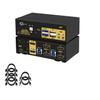
CKLau 2 Port 8K60Hz 4K144Hz Dual Monitor KVM Switch HDMI with Cables, Audio, Microphone, 2 pcs USB 3.0 Peripheral Hub for Keyboard Mouse 2 Computers Sharing 2 Monitors
404,27 €
673,78 €
-
 Order within 7 hours and 18 minutes to get between June 16 - June 22
 -
 Tracked Shipping on All Orders
-
 14-Day Returns
- Secure Payments
-
 24/7 Customer Support
Description
- 1. 2 Port KVM Switch 2 Monitors: 2 computers/laptops sharing one set of keyboard & mouse, 2 monitors, audio, microphone and 2 pcs USB 3.0 peripheral devices. Support HDMI 2.1, HDCP 2.2, HDR 10. (Tips: 1. This KVM switch required each of your computers with 2 video output. 2. This KVM switch without EDID emulation, windows size and location maybe moving after switching.)
- 2. KVM Switch Dual Monitor 8K: We are certified HDMI adopter over 10 years. Excellent image processing and transmission capacity, make the output signal is more smooth and steady. Drive-free for Windows 10/7/2000/XP/Vista, Linux, Mac, Debian, Ubuntu, Fedora, Raspbian, Ubuntu, etc.
- 3. KVM Switch Dual Monitor HDMI: Resolution compatible Resolution compatible 10240x4320@60Hz, 7680x4320@60Hz, 5120x2880@50/60Hz, 4096x2160@50/60/100/120Hz,3840x2160@60/120/144Hz,3840x1620@60/120/144Hz,3440x1600@60/120/144Hz,3440x1440@60/120/144Hz,3840x1080@60/120/144/165/240Hz, 3200x1800@60/120/144/165/240Hz, 2560x1440@60/120/144/165/240Hz, 2048x1536@60/120/144/165/240Hz, 2048x1280@60/120/144/165/240Hz, 2048x1080@60/120/144/165/240Hz, 1920x1200@60/120/144/165/240Hz, etc.
- 4. 8K KVM Switch USB 3.0: Support wired/wireless/unify keyboard and mouse, Apple keyboard (hot key is changeable), touch screen, OLED screen, 16:9 widescreen, 21:9 ultra-wide monitors, etc.
- 5. KVM Switch HDMI Dual Monitor: Four switching way optional: keyboard hotkey switching (Num Lock + Num Lock + 1 / 2 + Enter, or Ctrl + Ctrl + 1 / 2 + Enter, or Scroll Lock+ Scroll Lock+1 / 2 + Enter), mouse switching (click mouse wheel 2 times), manual button switching, wired remote push button switching. 3 display mode optional: extended display, mirror display, splic display.
- 6. IMPORTANT: If only one computer is BIOS-based, start by turning it on, logging in, and waiting for the display. Switch to the second computer and turn it on. If both computers are BIOS-based, start the KVM, then the first BIOS computer, log in, wait for the display, switch the KVM to the second computer, and finally, turn on the second BIOS computer. In short, don't start both BIOS computers simultaneously to avoid issues like a black screen or disabling your keyboard and mouse.
Shipping and Returns
- We offer tracked shipping on all orders. Tracking information will be shared as soon as the order is dispatched.
- Please check the delivery estimate before adding a product to the cart. This is displayed for every product on the website.
- Available shipping methods and charges will be displayed at the time of checkout, depending on your exact location.
- All customers are entitled to a return window of 14 days, starting from the date of delivery of the product(s).
- Customers are advised to read our return policy for details of the return process, eligibility, refunds as well as cancellations or exchanges.
- In case of any issues or concerns about Shipping or Returns, please contact us and we will be happy to help.
CKLau.
CKLau 2 Port 8K60Hz 4K144Hz Dual Monitor KVM Switch HDMI ...
404,27 €
673,78 €